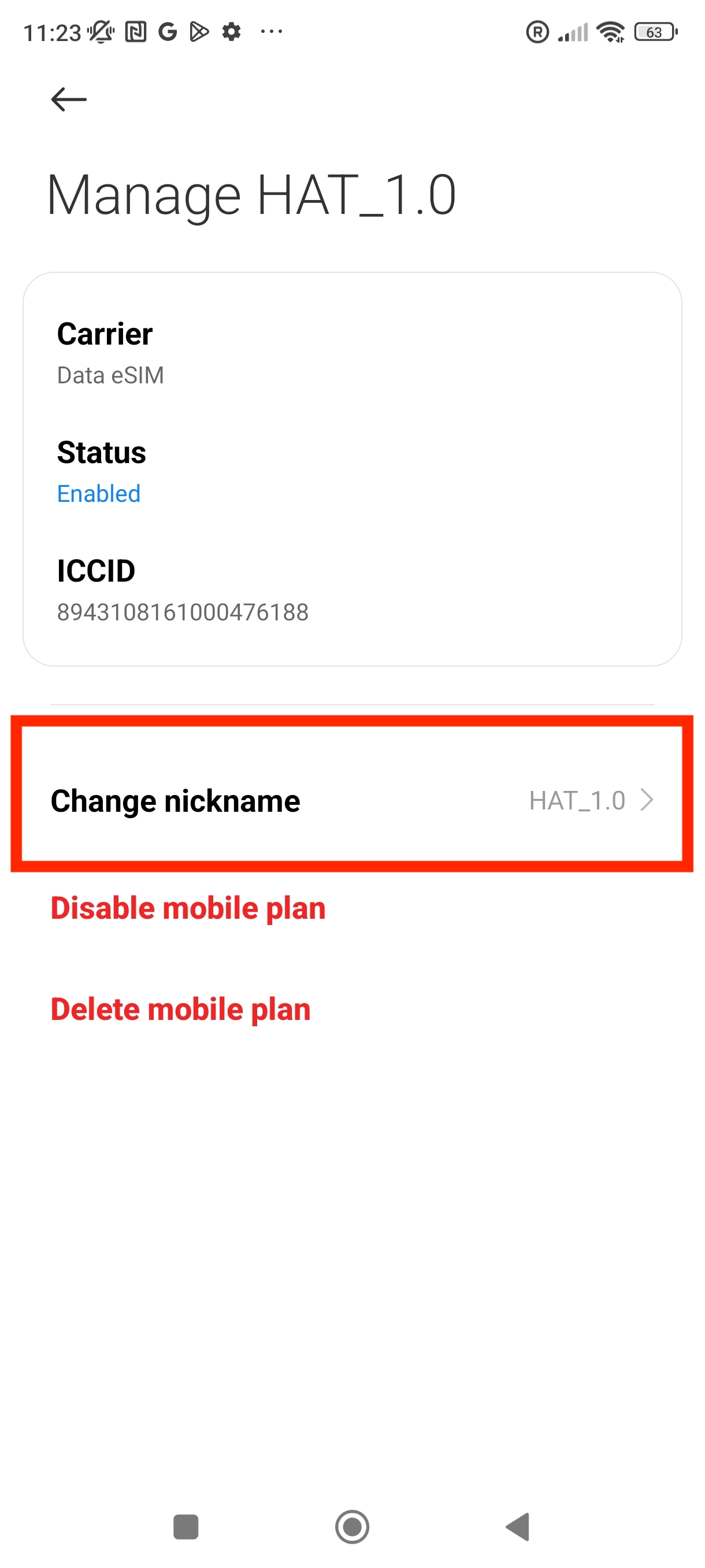
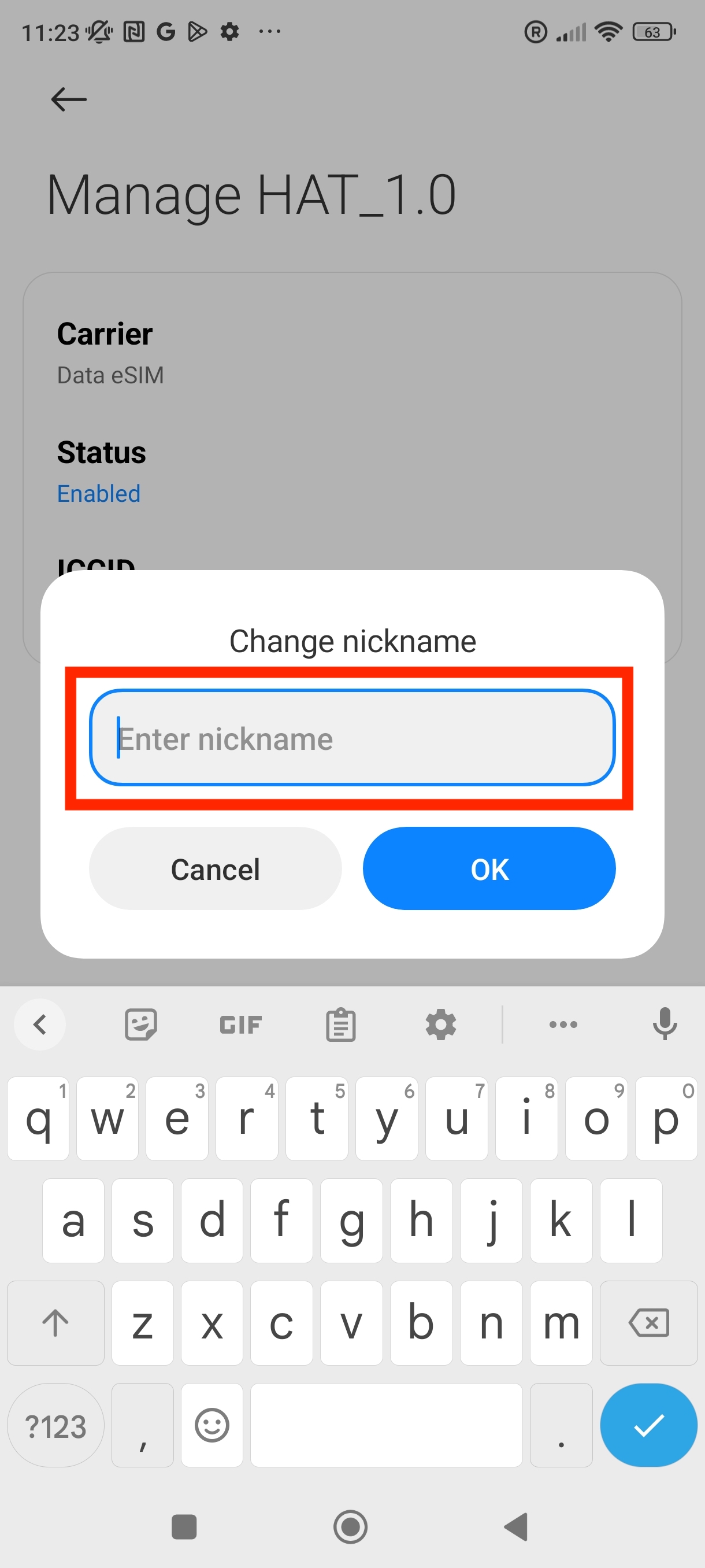
A good thing with eSIM plans is that you can change the name labels to customise and identify them .
In this step-by-step guide, we will show how you can change your label name for your eSIM plans.
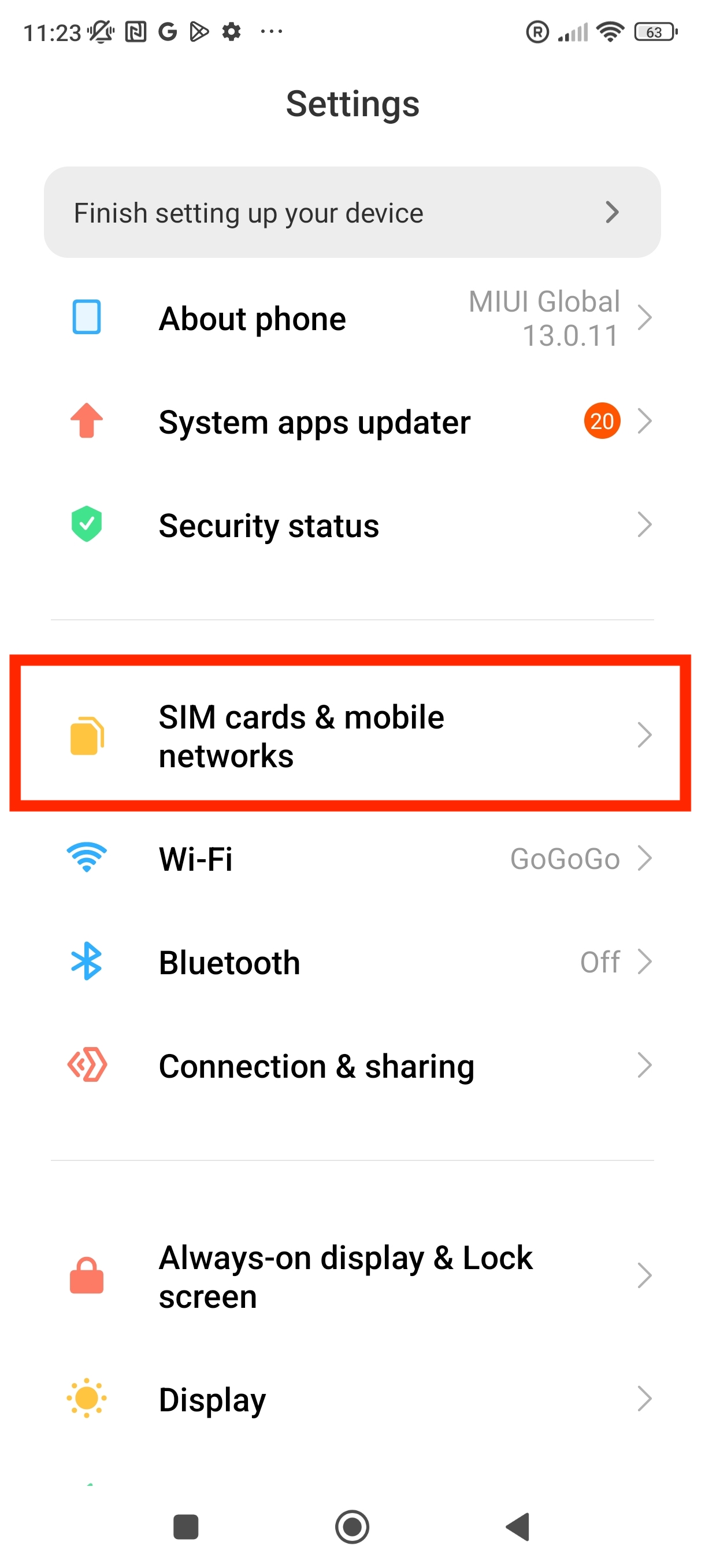
1. Go into Settings.
2. Click on "SIM cards & mobile networks"
3. Scroll down until you see the option "Manage eSIM" > Click on it.
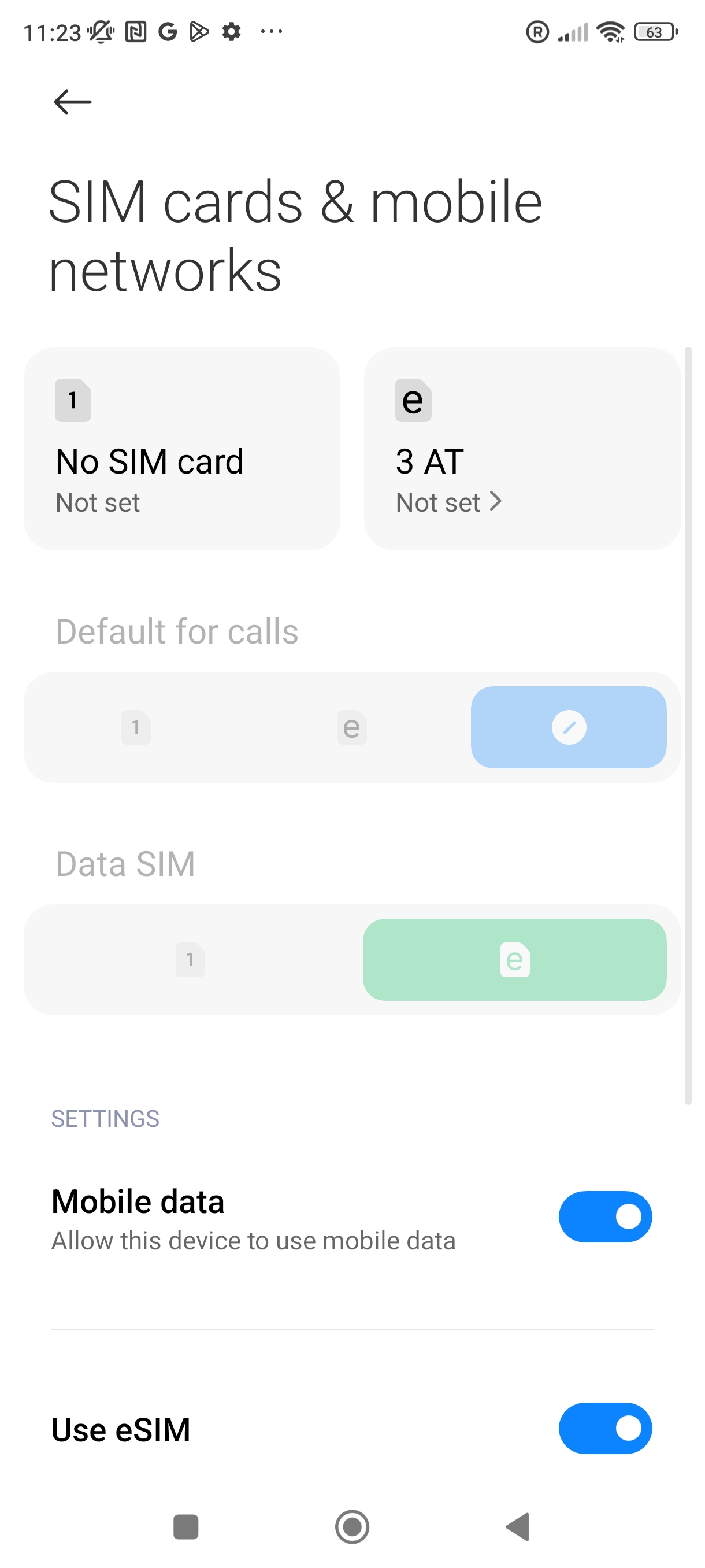
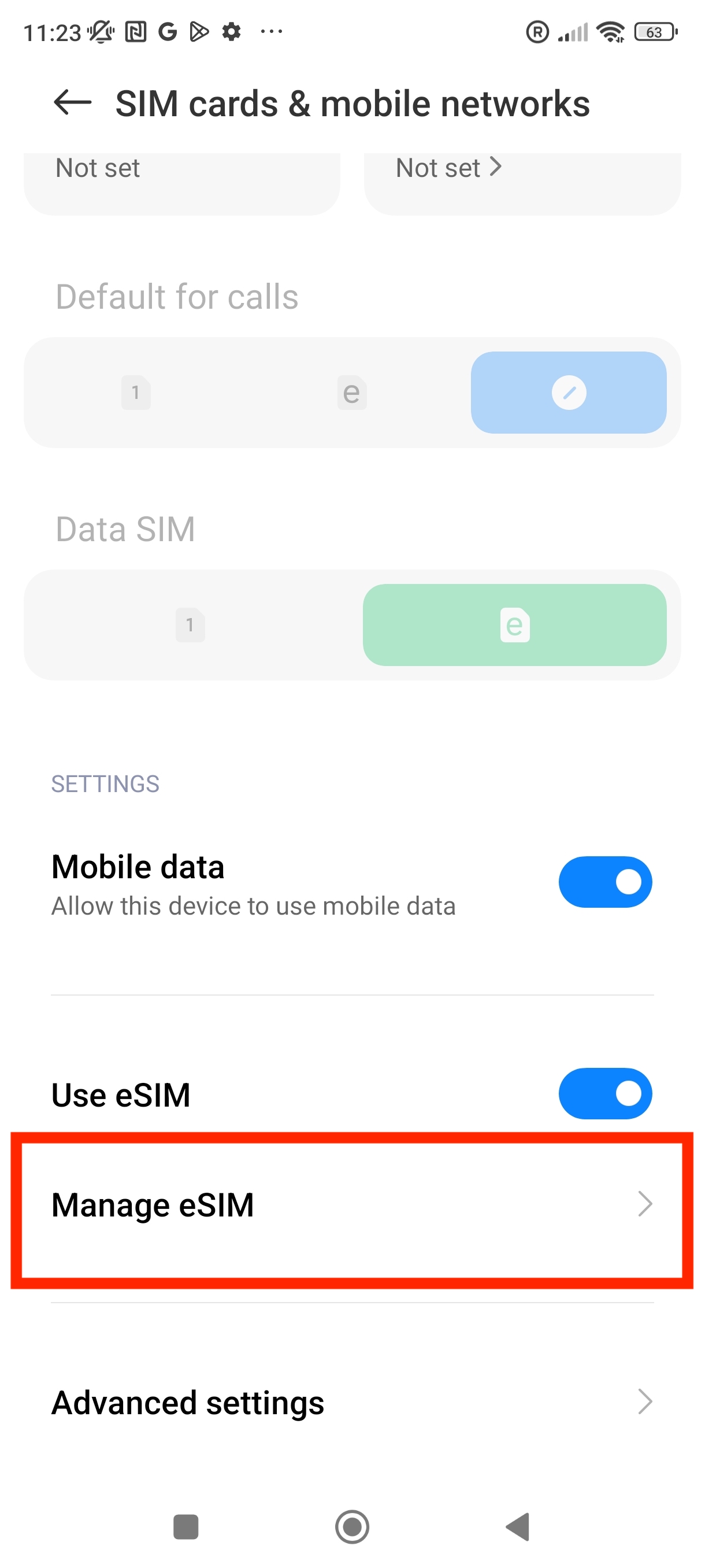
4. From here you can select which eSIM you want to set a name for.
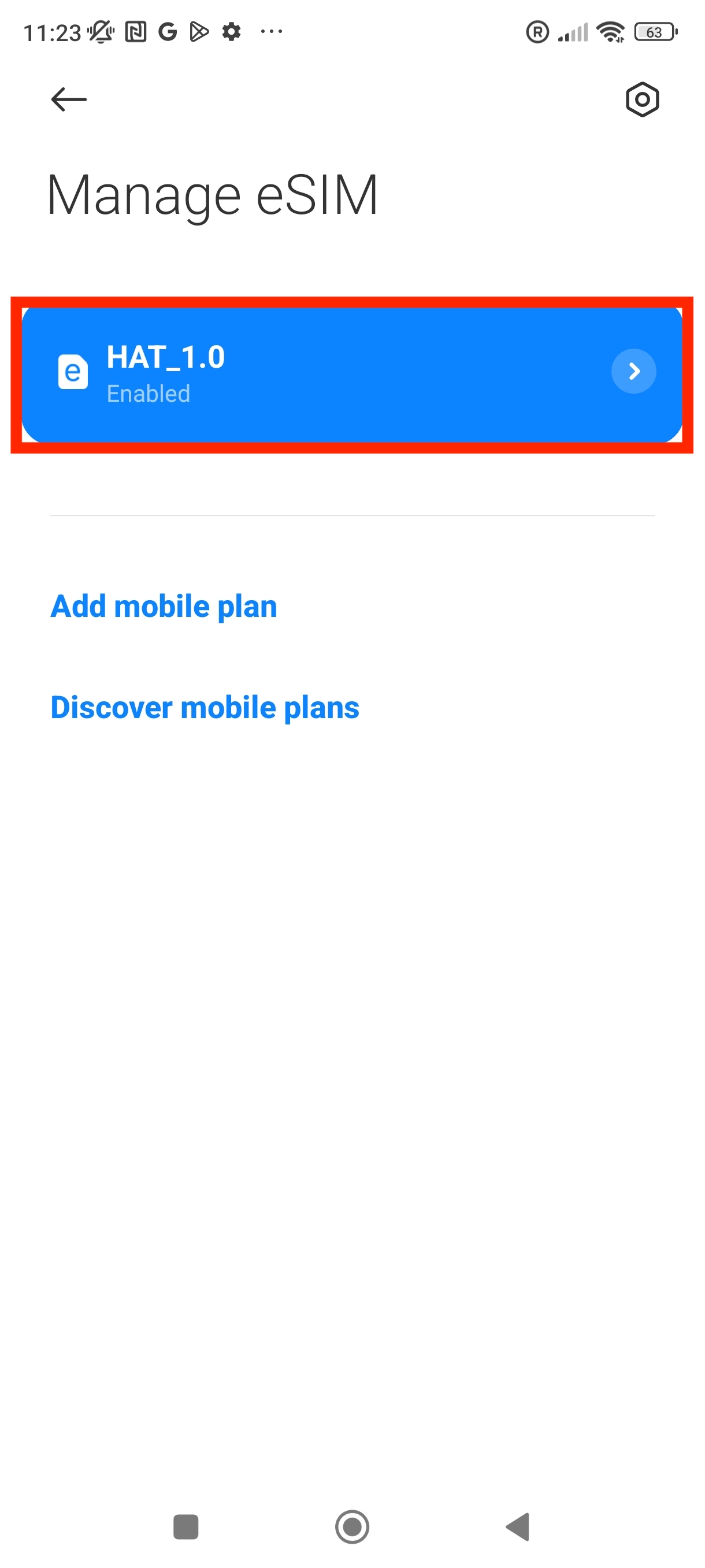
5. From here you can change the nickname of the eSIM > Press "OK"
Note: In this example, we changed the label to "eSIM"